Customer Sales Report
Purpose
Following is a description of some of the Customer Sales reports. These will help you manage
marketing and sales campaigns.
Customer Sales
This report will show customer sales in a user specified date range or an inventory period.
In COSTAR select;
- Sales Reporting
- Sales Reports
- Customer Sales Reports
- Customer Sales Month/Year
- New
- Give the report a suitable name
- Add a Document Date OR Inventory Period (month)
Once Prepared the results will look similar to below.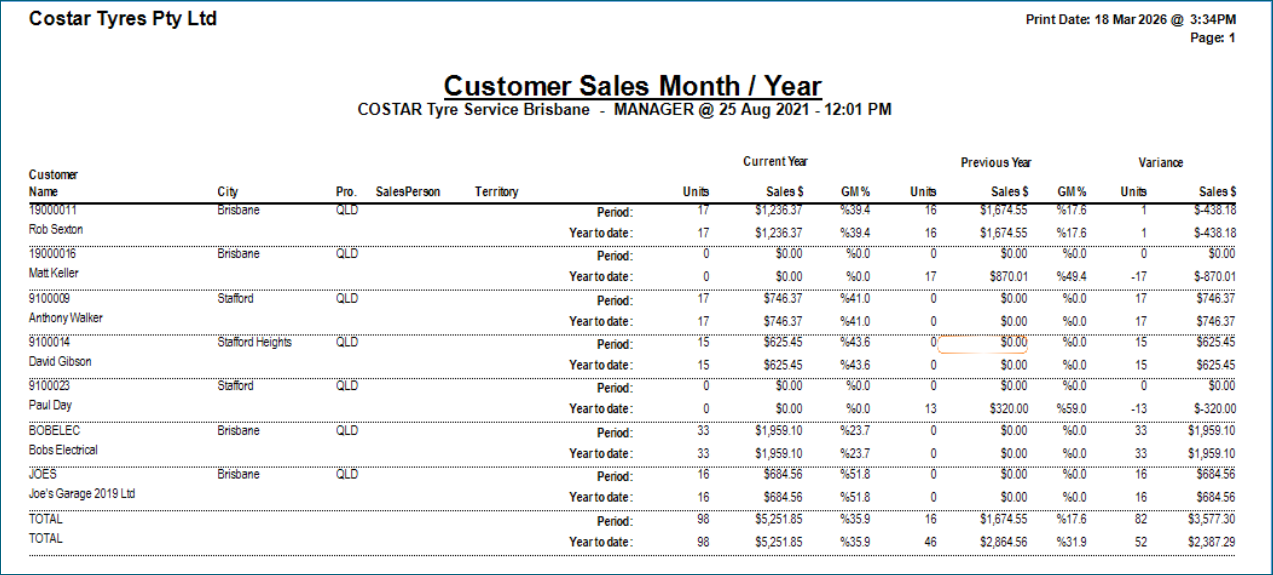
Customer No Sales (Lost Customers)
This report will show “lost” customers. It is based around clients who have made a purchase in the
past but have not made a purchase in the specified period. In COSTAR select;
- Customers
- Customer Reports
- No Sales Customers
- New
- Give the report a suitable name
- Add the period that customers have not had a sale in.
Once Prepared the report will look similar to below.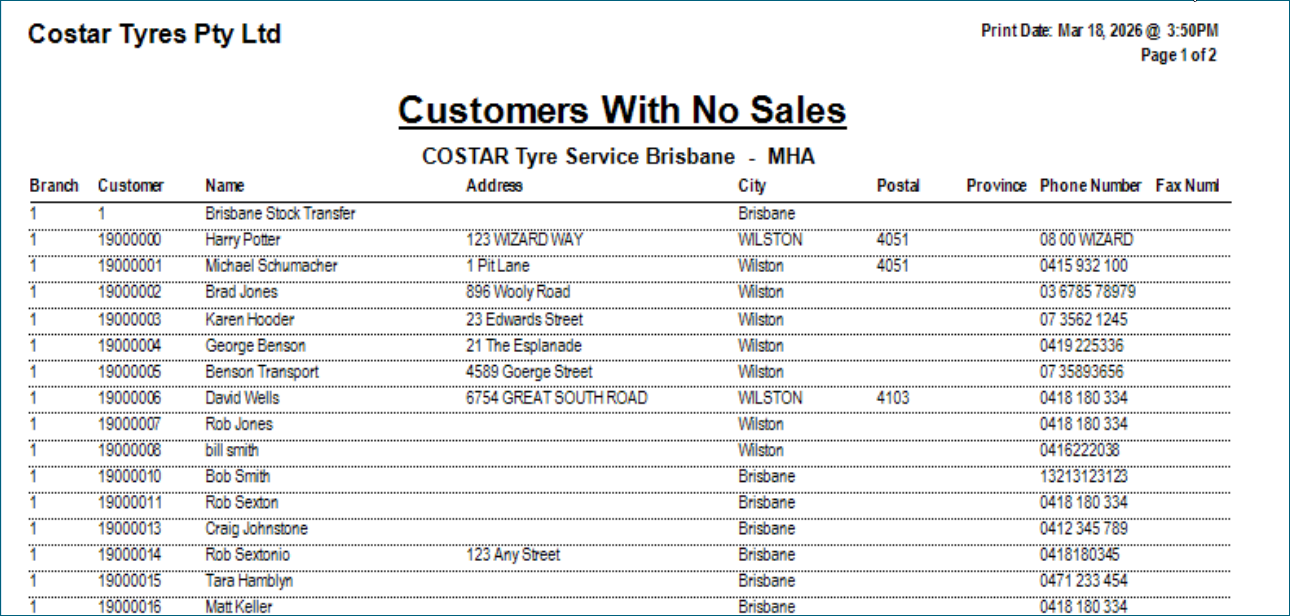
New Customers
To view a list of Customer with a starting date within a user specified date range, select;
- Customers
- Customer Reports
- Customer List
- New
- Give the report a suitable name
- Selections
- Start Date
- Add a specific or range of dates.
I recommend that you use the Prepare and Export option to open this in Excel.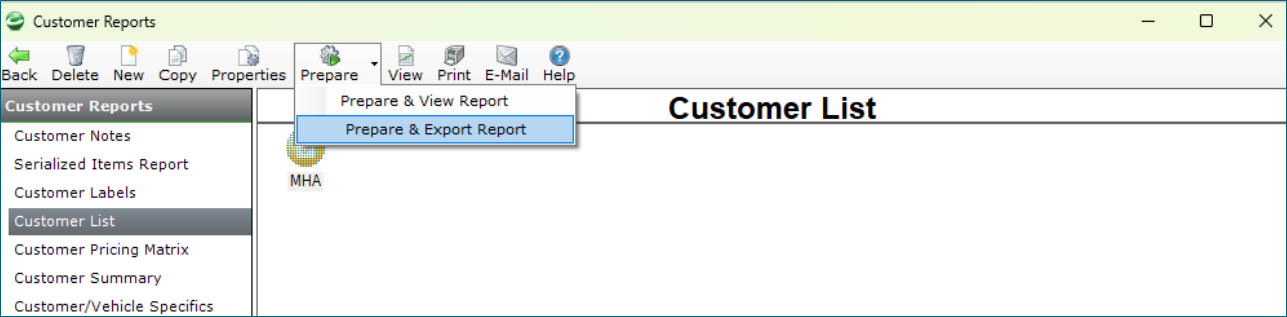
If you have any questions on these reports please contact the Microhouse Support Team.
Related Articles
Sales Analysis Settings
Microhouse Sales Analysis settings are managed by going to the Settings, Order Entry Options, Integration2 page, then clicking the "Configure Microhouse Integration Providers" button. Use Microhouse Sales Analysis: Check this option to enable the ...Sales to Finance Companies
This help file outlines how to process sales to customers that are paying via a finance company. It applies whether the total of the invoice is going to the finance company or the customer may be paying for part of it. Setting up the Finance Company ...Sales Analysis Overview
The Sales Analysis dynamically displays COSTAR sales data providing a comprehensive analysis of Order Entry sales documents. The default page displays Product, Service, and Special Item sales. The Statistics page displays Sales Type (Cash or ...Cost of Sales in COSTAR
This help file explains how the Cost of Sales (COS) is calculated in COSTAR and attempts to explain how this may be different to other systems. In a nutshell, the COS General Ledger code is updated when inventory is sold and it is affected by the ...Customer History
Purpose There will be times when you want to search on the history of a particular customer in COSTAR. What is described below are a few of the ways to find this information. Please note: The data used in the images is only test data and not ...